

The 7 best Guideflow alternatives in 2026

Short answer
The 7 best Guideflow alternatives in 2026 are Karumi, Arcade, Storylane, Navattic, Walnut, Supademo and Consensus. Karumi is the pick if you want an AI agent that joins the buyer on a video call and demos your real product live.
Imagine a prospect lands on your website at 11 PM from their couch without wanting to speak to anyone in sales. What do they find? A features page with static screenshots? A "request a demo" form that forces them to wait two days for someone to call them? That prospect leaves. And they probably will not come back.
Interactive demos exist to close that gap. With them, that same prospect can open your product at 11 PM, click around, explore the flows that interest them, and understand the value on their own, at their own pace, without friction. The product speaks for itself.
Guideflow is one of the most well known tools in this space, but it is not the only option or the best one for every team. If you are looking for something that better fits your situation or you simply want to compare before deciding, these are the 6 best alternatives in 2026.
Why are users looking for a Guideflow alternative?
Many companies look for alternatives to Guideflow not for a single reason but because of the overall experience the tool offers. These are the main reasons:
- Limitations in complex flows: Guideflow works well for simple walkthroughs and onboarding processes, but it can fall short in more advanced use cases. Deep customization or conditional branching do not reach the level of other more sophisticated platforms.
- Limited technical fidelity: although the tool captures the visual layer of the product well, it does not replicate backend logic or real behaviors.
- Key features in advanced plans: some essential capabilities are reserved for higher tier plans. This can force certain teams to scale up sooner than expected.
- Inflexible collaboration: the creator license based model can be impractical in organizations where multiple teams participate in creating demos, progressively increasing the cost.
- Room for improvement in mobile experience: on mobile devices, demos might not offer the same fluidity or visual quality.
- Initial learning curve: although the interface is intuitive, creating the first few demos can take longer than expected until you fully understand the platform logic.
- Unstable performance: some users mention minor instabilities that can affect the loading or editing of demos.
What are the best Guideflow alternatives?
Below, we present the best Guideflow alternatives in 2026, designed to create more effective demos tailored to different marketing and sales needs.
| Software | Demo type | AI usage | Real time interaction | Multilingual support | Security |
|---|---|---|---|---|---|
| Karumi | Agentic demo | High / Autonomous 🧠 AI agent guides user in real time and explores functionalities | Yes ✅ The AI agent interacts directly with software, answers questions, and adapts the journey live | Native & automatic 🌐 Can communicate and interact in multiple languages without manual setup | SOC 2, GDPR, ISO 27001 |
| Arcade | Interactive demo | Low ⚙️ Uses AI to add generated narrations, videos, or visual elements | No ❌ Captures real application flows for guided walkthroughs at user pace | Manual ✍️ Requires manual adaptation or separate creation | SOC 2, GDPR |
| Storylane | Interactive demo | Low ⚙️ AI used to generate texts, translations, and narrations for content | No ❌ Users explore predefined walkthroughs without live AI agent | Manual ✍️ AI helps translate, but versions must be managed | SOC 2, GDPR |
| Navattic | Interactive demo | Low ⚙️ Uses AI to generate certain contents like guides and automated texts | No ❌ Guided experiences without agents that interact in real time | Manual ✍️ Localization handled separately | GDPR |
| Walnut | Interactive demo | Low ⚙️ Uses AI to adjust contents for personalization | No ❌ Guided tours or free navigation without autonomous AI interaction | Manual ✍️ Localization handled separately | SOC 2 Type II |
| Supademo | Interactive demo | Low ⚙️ Uses AI to generate texts, voiceovers, and translations | No ❌ Step by step walkthroughs at user pace without live interaction | Manual ✍️ AI helps translate, but versions must be managed | SOC 2 Type II, GDPR, CCPA |
| Consensus | Interactive demo | Low ⚙️ Uses AI to optimize content based on profile and interests but does not act as an autonomous agent | No ❌ Explores dynamically based on profile, but no live AI interaction | Manual ✍️ Requires separate creation or manual adaptation | SOC 2 Type II, GDPR |
1. Karumi
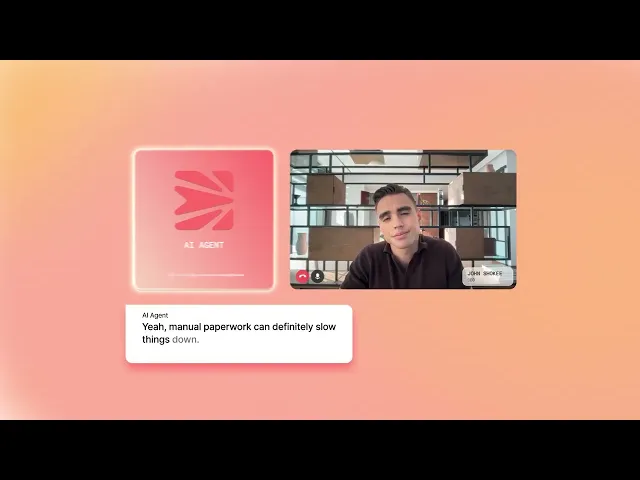
Karumi is a platform designed to create agentic demos, meaning product demonstrations where an artificial intelligence agent guides the user in real time. Unlike traditional approaches based on videos or static walkthroughs, here the AI interacts directly with the software, explores its functionalities, and answers the user questions while adjusting the journey based on their behavior.
Designed for marketing and sales teams, Karumi allows you to offer personalized experiences without relying on live presentations. Thanks to its ability to understand context, communicate in different languages, and adapt to each interaction, the demo becomes a dynamic environment where the product explains itself.

Key highlights
- Live AI agent: it guides the user inside the product, showing functionalities and answering questions in real time.
- 24/7 access: demos are available at any time without the need to coordinate with the sales team.
- Real time adaptation: the journey automatically adjusts based on the user profile, industry, and behavior.
- Integrated multi language support: it allows interaction in different languages, making it easier to use in international markets.
- CRM connection: all the information generated during the demo is automatically sent to tools like Salesforce or HubSpot.
- Lead analysis and scoring: it evaluates how users interact to detect opportunities with higher purchase intent.
- Continuous updates: demos stay aligned with the latest product version without manual effort.
- Access control: it allows you to define permissions and roles to manage who can view or edit each piece of content.
- Activity history: it logs all interactions to ensure proper tracking and control.
- Compliance and security: it complies with standards like SOC 2, GDPR, and ISO 27001 to protect your information.
➡️ Read our dedicated article comparing Karumi vs. Guideflow.
2. Arcade
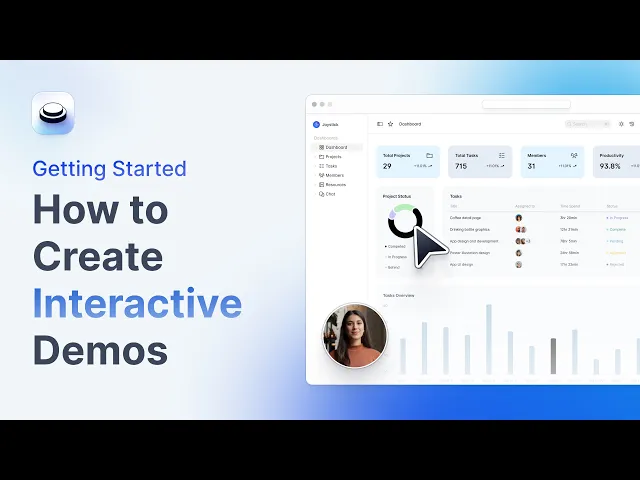
Arcade is a no code platform designed to create interactive demos and product content quickly and visually. Its editor allows marketing, sales, and product teams to capture real application flows, add interactive elements, and build guided experiences ready to share with prospects and customers.
Thanks to its simple and flexible approach, Arcade makes it easy to create demos without relying on technical roles. Additionally, it incorporates options to enrich the content with narration, videos, or visual elements while providing visibility into how users interact with each demo.
Key highlights
- No code creation: it allows you to build complete demos without technical knowledge, accelerating product content production.
- Visual capture and editing: you can record real product flows and enhance them with hotspots, chapters, and calls to action.
- AI enriched content: it allows you to add generated narrations, videos, or visual elements to make demos more engaging.
- Detailed analytics: it offers interaction metrics such as clicks, watch time, or drop off points.
- Tool integrations: it connects with marketing, sales, and analytics platforms to sync data and optimize processes.
- Flexible distribution: demos can be shared via links, embedded on websites, or exported in formats like video or GIF.
- Team collaboration: multiple users can work together on creating and managing demos.
- Security and compliance: it complies with standards like SOC 2 and GDPR to guarantee data protection.
3. Storylane
Storylane is a platform focused on creating no code interactive demos that allows prospects to navigate the product autonomously. Its goal is to transform complex functionalities into clear and easy to follow experiences.
It is specifically designed for marketing and sales teams looking to scale demo creation and adapt them to different user profiles. Thanks to its approach, it is possible to offer more relevant experiences that help prospects understand the product and move forward in the buying process.
Key highlights
- No code demos: it allows you to create interactive product walkthroughs quickly using visual tools without the need to code.
- Easy to use editor: you can adjust text, images, and interactive elements right inside the platform.
- Segmentation customization: demos can be adapted based on the user type, showing specific content for each profile.
- AI for content generation: it includes features to create text, translations, or narrations, although it does not offer real time interaction with an agent.
- Distribution options: demos can be shared via links or integrated into different channels like websites or campaigns.
- Performance tracking: it provides data on how users interact, including clicks and behavior within the demo.
- Integrations: it connects with marketing and sales tools to facilitate the flow of information.
- Security and compliance: it complies with standards like SOC 2 and GDPR and includes features like SSO and custom domains for enterprises.
3. Navattic

Navattic is a tool that allows you to create no code interactive demos directly from your browser, transforming real product flows into experiences that prospects can explore autonomously. Compared to more static formats, it offers a more practical and approachable way to showcase the software.
It is geared toward sales, marketing, and customer success teams that want to improve how they present their product and accelerate the buying process. Its demos can be tailored to different user profiles and easily shared at various points in the funnel.
Key highlights
- No code needed for demos: it allows you to create complete product experiences without technical support, which speeds up the team workflows.
- Reusable templates: it includes resources and structures that can be reused to create new demos faster and more consistently.
- Interaction metrics: it provides data on how users navigate the demo, including clicks, session duration, and engagement levels.
- Limited AI scope: it uses artificial intelligence to generate certain content, but it does not incorporate agents that interact in real time.
- Collaborative work: it makes it easy for multiple team members to participate in creating and editing demos.
- Business tool integration: it connects with CRMs and marketing platforms to centralize information and improve processes.
- Security and compliance: it complies with standards like GDPR and offers access controls to ensure safe use in enterprise environments.
5. Walnut
Walnut is a platform designed to create interactive product demos tailored to each user, allowing prospects to explore the software autonomously. Its approach focuses on helping sales, marketing, and customer success teams present the product in a more flexible and scalable way, without relying on traditional formats like videos or live presentations.
The tool makes it easy to customize each demo according to the customer type and share it across multiple channels. Additionally, it provides visibility into user behavior to improve the experience and optimize the sales process.
Key highlights
- No code demo creation: it allows you to build interactive product experiences without the need for technical knowledge.
- User profile adaptation: demos can be adjusted based on the context and needs of each prospect.
- Guided or free experiences: it combines structured walkthroughs with the option for the user to explore the product at their own pace.
- Data and analytics: it provides metrics on user interaction to identify which parts of the product generate the most interest.
- Limited AI use: it utilizes artificial intelligence to adjust content, but it does not include agents that interact in real time.
- Sales tool integration: it connects with CRMs and marketing platforms to sync information and improve workflows.
- Security and compliance: it complies with standards like SOC 2 Type II to ensure data protection in enterprise environments.
6. Supademo
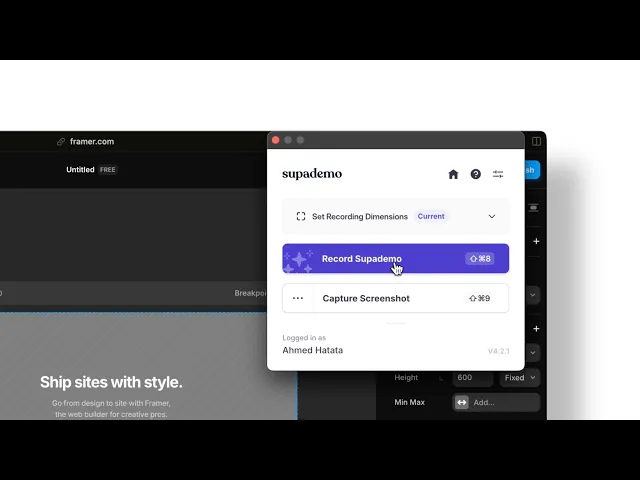
Supademo is a tool that allows you to create interactive demos and product guides in a matter of minutes using a browser extension that automatically records flows within the software. From these captures, it transforms any process into a step by step walkthrough that users can follow in a practical and intuitive way.
It is a widely used solution for tutorials, onboarding, and marketing content because it allows you to generate visual experiences quickly without needing technical knowledge.
Key highlights
- Automatic process capture: it allows you to record flows right from the product and turn them into interactive demos in very little time.
- Flexible formats: it combines different formats like HTML, video, or captures to adapt to different needs.
- Experience customization: it offers options like dynamic variables and conditional paths to adjust the journey according to the user.
- AI with limited features: it uses artificial intelligence to generate text, voiceovers, or translations, but without real time interaction.
- Usage metrics: it provides data on engagement, completion, and drop off rates to improve demo performance.
- Collaborative work: it allows multiple users to collaborate on creating and maintaining demos within shared spaces.
- Integrations: it connects with marketing and sales tools to centralize information and optimize workflows.
- Security and compliance: it complies with standards like SOC 2 Type II, GDPR, and CCPA to ensure data protection.
7. Consensus

Consensus is an automated demo platform that allows prospects to discover a product on their own, adapting the content based on their interests and profile. Instead of showing all the information, the tool prioritizes what is most relevant for each user, making the experience more direct and easier to understand.
It is specifically geared towards sales and presales teams managing complex buying cycles with multiple stakeholders. By offering personalized and accessible demos at any time, it helps improve engagement and accelerate the decision making process.
Key highlights
- Autonomous exploration: prospects can interact with the product at their own pace without relying on live demos or static content.
- Dynamic customization: the demo automatically adjusts the content based on the user profile and answers.
- Interaction insights: it allows you to identify which parts of the journey generate the most interest and how users behave.
- Detailed tracking: it records the user journey, the time spent in each section, and the actions taken during the demo.
- Limited AI focus: it uses artificial intelligence to optimize content, but it does not incorporate agents that interact in real time.
- Sales integrations: it connects with sales and marketing tools to centralize information and improve tracking.
- Compliance and security: it complies with standards like SOC 2 Type II and GDPR to ensure safe platform use.
