
Toni Lopez
Co-Founder at Karumi
·
B2B buyers research on their own, compare options side by side, and expect fast answers. If your demo does not hook them in seconds or fails to show relevant value from the start, you lose the opportunity.
The good news is that creating effective demos no longer requires technical teams or weeks of work. Tools have evolved, and today you can design personalized experiences, automate their delivery, and adapt them to every stage of the funnel without touching any code.
But technology is only part of the equation. What truly makes a difference is understanding what each prospect is looking for, when they are looking for it, and how to present your product clearly and convincingly. A properly designed demo speeds up decisions, reduces friction, and converts faster.
In this guide, we will cover how to create SaaS product demos that actually convert in 2026, which formats to use at each stage of the buyer journey, and the trends changing how we present software.
What do we mean by a product demo in 2026?
A product demo in 2026 is no longer a presentation where you show screens and explain features. It is an experience designed so the prospect quickly understands how your product solves their specific problem.
The difference lies in the approach. In the past, demos focused on showing what the product does. Today, buyers want to see how it fits into their context, what results they can expect, and why they should choose your solution over others. An effective demo answers those questions before they are even asked.
Furthermore, the buyer journey has changed. Many users research options on their own before talking to sales. That means your demo must work without anyone explaining it, convey value in the first few seconds, and be available whenever the prospect needs it, not just when you decide to show it.
How have product demos changed in recent years?
The way SaaS companies present their products has evolved very quickly in a very short time. What used to be a linear process completely controlled by the sales team has now become a set of much more flexible, automated, and user focused experiences.
This evolution can be understood in three main stages.
1. The era of live demos
For many years, the live demo was the standard in the SaaS world. A sales rep would schedule a meeting with the potential client and show them the product in real time, usually following a predefined script. This format allowed reps to answer questions on the spot and slightly adapt the explanation, but it completely depended on the sales team availability.
The main problem with this model was its low scalability. Each demo required human time and did not always fit the specific needs of each user, which meant many opportunities were lost before even reaching the meeting.
2. The era of video and interactive demos
With the growth of inbound marketing and the need to scale sales processes, companies started betting on more flexible formats like product videos and interactive demos. Videos made it possible to standardize the message and reach more users in less time, while interactive demos went a step further by letting the user explore the product on their own.
This marked a major shift because control over the experience started moving from the seller to the buyer. Even so, these experiences remained relatively static, with little ability to adapt to each user context.
3. The rise of agentic demos
The latest evolution in this journey is the arrival of agentic demos, which are product demos driven by an artificial intelligence agent. These new experiences are not just interactive, but also dynamic and adaptive.
Instead of always showing the same path, the demo can adjust in real time based on the user profile, industry, or behavior within the product. It can even guide the experience autonomously, answering questions or highlighting relevant features without human intervention.
With this approach, the demo stops being a simple presentation and becomes a smart and personalized experience, capable of guiding the user through their own discovery process.
➡️ Discover the best software tools for creating product demos in 2026.
The B2B funnel: which demo to use at each stage
Every prospect arrives with a different level of interest. Someone who just discovered your product needs to understand the concept in 30 seconds. Someone evaluating options wants to compare key features. Someone ready to buy needs to validate that your solution fits into their tech stack.
Using the same type of demo at every stage is wasting opportunities. The teams that convert best adapt the experience to each phase of the funnel. It is not about creating more demos, but about showing the right thing at the right time to reduce friction, build trust, and speed up the decision.
TOFU: Video for demand generation
At the top of the funnel (TOFU), the goal is not to explain the product in depth or show how it works. Here, the important thing is to generate curiosity and attract qualified traffic.
In this phase, short and dynamic product videos work best. These demos act more like a hook than a complete explanation of the software. They are usually distributed through channels like LinkedIn, YouTube, or paid media campaigns, where attention is limited and competition to capture the user is high.
The main goal is clear. Spark interest and drive the user to the website. At this point, communicating value quickly is more important than showing all the product features.
MOFU: Agentic demos on the website
Once the user lands on the website and enters the middle of the funnel (MOFU), the role of the demo changes completely. This is where agentic demos come into play, working as an interactive sales experience available 24/7.
Instead of watching a static video or following a predefined path, the user can interact with the product dynamically. These AI driven demos act as a digital sales assistant. They qualify the user, understand their intent, and adapt the product narrative based on their answers and behavior.
Every visitor can explore the features that interest them most at their own pace and without needing human intervention. The goal in this phase is to turn curiosity into a clear understanding of the product and early buying intent.
BOFU: Live demos with the Account Executive (AE)
At the bottom of the funnel (BOFU), the dynamic shifts again. At this point, the lead has already interacted with the product, understands its value, and is highly qualified.
This is where the human factor comes in. Live demos with the Account Executive (AE) are no longer just a product explanation. Now their goal is to close the sale. The AE personalizes the conversation based on the client specific needs, resolves complex questions about integrations, security, or pricing, and handles any final objections before the final decision.
In other words, it is no longer about discovery, but about conversion.
How to create a product demo in 2026?
If you are still recording your screen, writing voiceover scripts, or designing flows with "next" buttons, it is time to change your approach. Creating a product demo in 2026 is no longer about video editing or predefined walkthroughs.
It is about training an AI agent to act like your best Sales Engineer, available 24/7. The process is faster and more scalable than you might think.
Here are the four key steps to create an agentic demo that actually converts:
Step 1: Map use cases, not scripts
In a traditional demo, you decide the path. In an agentic demo, the user is in charge. That is why the first step is not writing a linear script, but identifying your product Aha moments and mapping out the main use cases.
Ask yourself:
What problems does your platform solve? Identify the specific pain points your product addresses (automating manual tasks, reducing errors, saving time in key processes).
What does each profile need to see to understand the value? A CTO wants to validate security, scalability, and technical integrations. A CMO is looking for ROI, impact metrics, and success stories. A CFO needs to understand the total cost of ownership and return on investment.
What are the most frequently asked questions on early calls? Review discovery call recordings and note what they ask before moving forward in the process.
What features generate the most engagement? Identify which features make a prospect say "this is exactly what we need".
What are the most common objections? Price, implementation complexity, learning curve, compatibility with current tools. Map out the answers that work best.
What sets your product apart from the competition? Define your unique value so the agent can communicate it naturally when comparisons arise.
With this map, the agent builds the journey in real time based on what the user asks. No rigid scripts. No mandatory clicks. Every conversation is unique because it adapts to the prospect specific needs in that moment.
Step 2: Train the agent knowledge base
Once you are clear on the use cases, it is time to educate your virtual seller. Today platforms let you connect your knowledge base in minutes. You do not need to code anything.
Feed the AI with:
Your product technical documentation: Specifications, API capabilities, available integrations, and system requirements.
FAQs and help center: Answers to common questions, setup guides, and standard troubleshooting.
Transcripts from successful sales calls: How your best AEs handle objections, explain value, and close deals. This teaches the agent the language that actually converts.
Success stories and testimonials: Real stories with measurable results, achieved ROI, and problems solved by industry or use case.
Tone of voice and brand guidelines: How the agent should communicate to sound like your company. Include phrases you use regularly and terms you avoid.
Competitor information: Competitive advantages and how to respond when compared to other solutions without resorting to direct criticism.
The more quality information you provide, the more natural, accurate, and persuasive the experience will be. The agent will learn not just what to say, but how to say it in the way that resonates best with your prospects.
Step 3: Establish safety guardrails
Giving autonomy to an AI raises concerns for sales and legal teams. That is why guardrails exist, the rules that define the boundaries of what your agent can and cannot do.
Set up boundaries before launching the demo. Key examples:
Competition: What to reply if the user compares you to a rival. The agent should focus on your unique value without criticizing the competition. Define allowed phrases and topics to avoid.
Pricing: How far it can discuss prices. It can mention general ranges, but if asked about discounts or custom pricing, it must escalate to a sales rep with full context.
Roadmap: Prevent it from promising nonexistent features or uncertain launch dates. It can only talk about features currently available or in public beta.
Compliance and security: Which certifications to mention (SOC 2, GDPR, ISO), how deep to go into security architecture, and when to refer to a technical specialist.
Out of scope use cases: If the prospect asks about a use case your product does not solve well, the agent must be honest and redirect to what you do best, instead of forcing a nonexistent fit.
Confidential information: The agent must never ask for sensitive data (credentials, personal financial information, trade secrets) or share internal information from other clients.
Tone and language: Set clear limits on register (not too informal with enterprise buyers, not overly technical with business profiles). Establish what kind of humor is allowed and what topics to avoid.
Step 4: Configure data capture and sales handoff
The goal of an agentic demo is not to replace your sales team, but to deliver highly qualified leads with full context. To achieve this, the demo needs to integrate directly with your RevOps stack (HubSpot, Salesforce, etc.).
Everything that happens during the interaction with the AI agent is recorded and automatically sent to your CRM:
Full conversation recording: Every question, answer, and objection is documented so sales knows exactly what the prospect said.
Intent data: Which features they explored, how much time they spent in each section, and which use cases interest them the most.
Detected pain points: The specific problems they mentioned during the demo.
Buying signals: Questions about pricing, technical integrations, security, regulatory compliance, or any indicator of advanced interest.
Engagement level: Session duration, number of questions asked, and depth of exploration.
Contextual information: Industry, company size, user role, and any data they shared during the interaction.
Practical example of a product demo
Let us imagine the real journey of a potential client on the Karumi website to understand how a demo strategy works in 2026.
Phase 1: Discovery (Top of Funnel)
The user sees a video ad on YouTube or LinkedIn. The content does not explain the product in detail, but rather focuses on a concrete problem for B2B SaaS sales teams: traditional demos that do not scale, prospects dropping off before understanding the value, or AEs wasting time on repetitive discovery calls.
The goal is to capture attention by showing a specific pain point and spark curiosity about how to solve it. The end goal is to get the prospect to the website.
Phase 2: Exploration (Middle of Funnel)
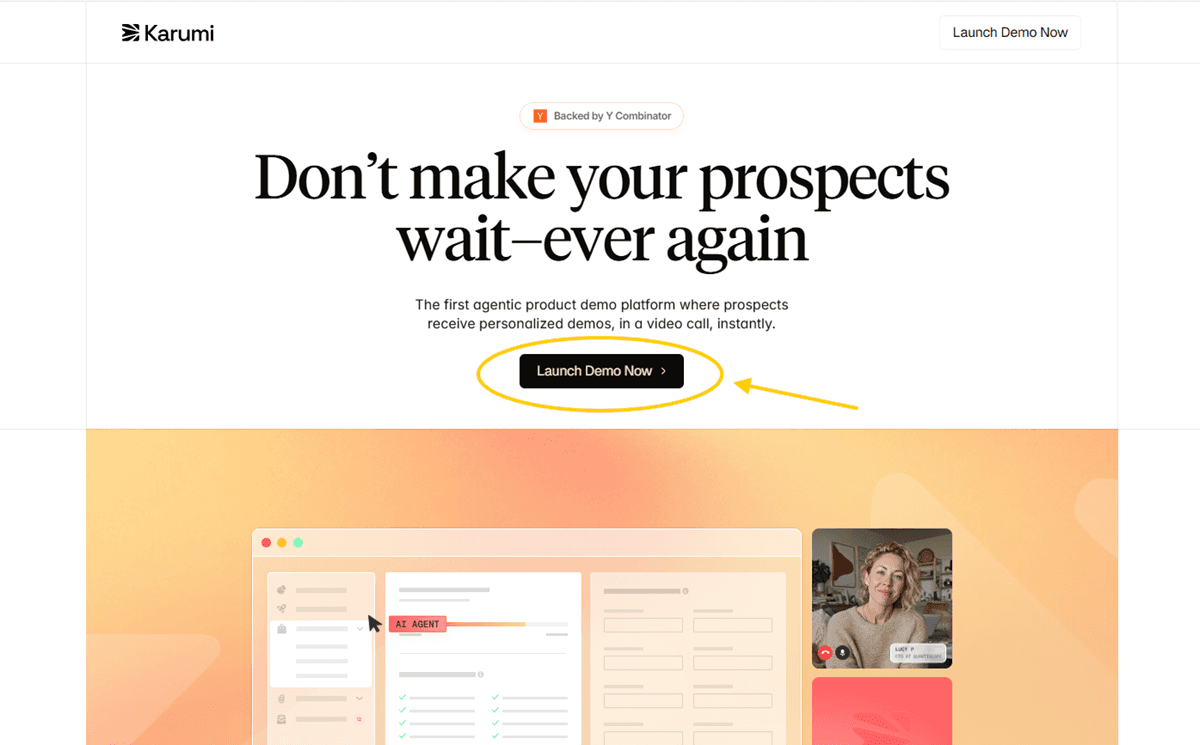
The user clicks the ad and lands on the website. Instead of filling out a form or scheduling a call for a week later, they can start an immediate video call with an AI agent that acts like a real Account Executive.
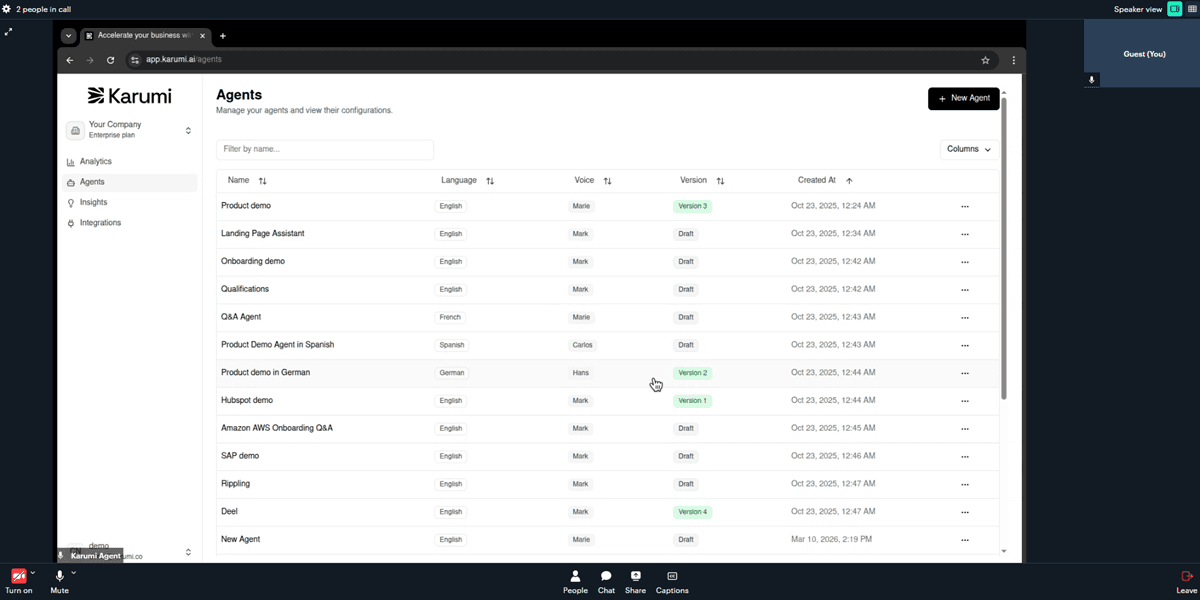
The experience works like this:
The prospect joins the video call. On the other side is an AI agent with a natural voice who greets them, introduces themselves, and starts asking questions to understand their context, just like an AE would on a discovery call:
What is your role and what kind of product do you sell?
How do you currently manage demos?
What are your main challenges in the sales process?
While they talk, the agent shares its screen in real time. Based on the prospect answers, the agent navigates the platform showing exactly the features that solve their specific problems.
Phase 3: Conversion (Bottom of Funnel)
When the user shows clear intent during the video call with the agent (asking about enterprise pricing, mentioning implementation timelines, requesting info on complex integrations, or asking to speak with the team), the agent detects the buying signal and offers to schedule a call with an Account Executive right from the conversation.
The handoff is automatic and includes full context: Before the meeting, the AE receives in the CRM:
Full recording of the video call: What the prospect asked, what objections they raised, and how the agent responded.
Explored features: Which product sections they saw, how much time they spent on each, and which use cases interested them most.
Detected pain points: Specific problems they mentioned (lack of demo scalability, low conversion, overwhelmed sales team).
Buying signals: Questions about pricing, integrations with their current stack, security requirements, or compliance.
Contextual information: Team size, vertical, tools they currently use, project urgency.
The conversation with the AE is no longer about explaining what Karumi does, but about:
Validating project fit and specific use cases.
Defining the collaboration format and appropriate pricing model.
Agreeing on implementation timelines and onboarding roadmap.
Resolving concrete technical challenges or questions about custom integrations.
Negotiating commercial terms and closing the deal.
The sales team receives a highly qualified lead who already understands the product, has validated the fit, and is ready to move forward. Less friction, shorter sales cycles, higher probability of closing.

Accelerate your growth with
AI-led demos.
Launch your demo in 5 minutes!
Launch your demo in 5 minutes!

Don’t make your prospects wait–ever again. Scale your demos and increase your revenue.



" height="18.00002px" id="t3TUwhEsx" transform="translate(3 3.243)" width="18px"/></svg>)
" height="16.00002px" id="eM6xJX0fQ" transform="translate(3 4.243)" width="18px"/></svg>)
" height="23.33220463282985px" id="JFXEvpVdY" transform="translate(0.489 0.333)" width="23.02237881352199px"/></svg>)
" height="23.866674065589905px" id="K2XP5s9Up" transform="translate(0 0.133)" width="23.852008219791px"/></svg>)
 scale(1 1) translate(--0.05666666666666667, -0.2982222222222222)" id="Azbtm4YKc-3318398759-radial-gradient" r="1.0639022167225811"><stop offset="0" stop-color="rgba(0, 0, 0, 0)"/><stop offset="1" stop-color="rgb(0, 0, 0)"/></radialGradient></defs><path d="M 0 0 L 24 0 L 24 24 L 0 24 Z" fill="transparent" height="24px" id="Dan82935g" width="24px"/><path d="M 11.996 24 C 12.008 22.39 11.681 20.795 11.036 19.32 C 10.44 17.896 9.573 16.6 8.483 15.507 C 7.392 14.419 6.101 13.554 4.68 12.96 C 3.205 12.315 1.61 11.987 0 12 C 1.607 12.013 3.2 11.695 4.679 11.067 C 6.098 10.453 7.388 9.577 8.483 8.485 C 9.57 7.392 10.437 6.1 11.036 4.68 C 11.681 3.205 12.008 1.61 11.996 0 C 11.996 1.663 12.304 3.223 12.929 4.68 C 13.542 6.099 14.417 7.39 15.508 8.485 C 16.606 9.577 17.899 10.452 19.321 11.065 C 20.802 11.69 22.393 12.008 24 12 C 22.39 11.988 20.796 12.315 19.321 12.96 C 17.897 13.554 16.602 14.419 15.508 15.507 C 14.417 16.605 13.542 17.898 12.929 19.32 C 12.305 20.801 11.987 22.393 11.996 24 Z" fill="url(%23Azbtm4YKc-3318398759-radial-gradient)" height="24px" id="Azbtm4YKc" width="24px"/></svg>)
© 2026 Karumi. All rights reserved.