

The 10 best software for product demo in 2026

Short answer
The 10 best software for product demo in 2026 are Karumi, Consenus, Storylane, Navattic, Walnut, Demostack, Arcade, Supademo, Reprise and Hexus. Karumi is the pick if you want an AI agent that joins the buyer on a video call and demos your real product live.
70% of B2B buyers complete most of their evaluation before ever speaking with a sales representative. Your demo is no longer just another step in the funnel. It is the exact moment when a prospect decides if your product is worth their time or if they should switch to the next browser tab.
The problem is that most teams continue to approach demos with tools that simply are not up to par. Prerecorded videos grow outdated with every single release, while screenshot based tours break the moment the interface changes. Generic presentations fail to distinguish between a CFO and a director of operations. The demo should be your product's best salesperson, yet in many cases, it is the weakest link in the sales process.
In 2026, the demo software market has fully matured. Interactive tour platforms have consolidated, cloned environments are competing with real sandboxes, and a brand new product category called agentic demos is changing the rules of the game.
In this article, we analyze the 10 best software tools for creating product demos, exploring their key features, what truly sets them apart, and their unvarnished limitations.
Comparison table: the 10 best product demo software
| Software | Best for | Demo type | Autonomous AI agent | Live environment | Security |
|---|---|---|---|---|---|
| Karumi | Scaling personalized demos 24/7 without increasing headcount | Agentic demo via video call | ✅ Navigates the real interface, answers questions, and adapts in real time | Real product interface | SOC 2, GDPR, ISO 27001 |
| Consensus | Enterprise sales cycles with multiple decision-makers | Video demos, tours, simulations | ❌ AI for personalization and content, not conversational | No-code simulations | SOC 2 Type II, GDPR |
| Storylane | B2B marketing teams that prioritize speed of production | Interactive tours, deal rooms | ❌ RepX qualifies and routes, doesn't navigate the interface | Sandbox (Enterprise plan) | SOC 2 Type II, GDPR |
| Navattic | High-fidelity HTML demos for marketing and PLG | HTML cloning, sandboxes | ❌ Agent Demos in beta, limited to the cloned environment | Sandbox (Growth plan) | SOC 2 Type II, GDPR |
| Walnut | Deep per-prospect personalization for enterprise sales | Personalized HTML demos, deal rooms | ❌ AI assists in creation, doesn't present live | No | SOC 2 Type II, GDPR, CCPA |
| Demostack | Live demos with full product cloning for enterprise sales | Simulations, sandboxes, tours | ❌ AI assists within predefined flows | Yes (full cloning) | SOC 2 Type II, GDPR, CCPA |
| Arcade | Fast production of multi-format visual content | Interactive demos, videos, GIFs | ❌ AI generates content, doesn't interact with the prospect | No | SOC 2, GDPR |
| Supademo | Budget-conscious teams with multiple use cases | Interactive guides, HTML demos | ❌ Chatbot that qualifies and routes, doesn't navigate the | Mo | SOC 2 Type II, GDPR, CCPA |
| Reprise | Complex products that need to showcase real functionality | HTML captures, overlays, code-level cloning | ❌ AI for environment creation, not for presenting | Yes (Replicate at code level) | SOC 2 Type II, ISO 27001 |
| Hexus | Teams that need multiple formats from a single recording | Demos, videos, guides | ❌ No conversational agents | No | Enterprise (Enterprise plan only) |
1. Karumi
Best for: Sales and marketing teams that need to scale personalized demos 24/7 without increasing headcount, especially for SaaS products with functional complexity.
Karumi is a pioneering platform in the creation of agentic demos. This is an advanced format where an AI agent delivers real time product demonstrations via video call. Unlike static captures or guided tours, this agent interprets the actual software interface, navigates through it, and answers user questions autonomously.
This solution is designed to scale sales and marketing teams. It allows companies to offer personalized experiences 24 hours a day, 7 days a week, without any human intervention. Thanks to its reasoning capabilities and multilingual support, the demo stops being a passive asset and transforms into an interactive conversation where the product explains itself.

Key features
- AI agent on video calls: A virtual assistant guides the demo in real time, navigates the interface, and answers questions just like a human sales representative.
- 24/7 availability: Prospects can launch a personalized demo at any time, without depending on the schedules of sales agents.
- Hyper personalization: The agent tailors the content and flow of the demo based on the profile, industry, and specific needs of the user.
- Native multilingual support: The AI automatically communicates and reasons in multiple languages, removing global language barriers.
- Automatic updates: The agent learns from software updates, ensuring the demo always reflects the latest version of the product.
- Integrated lead qualification: While guiding the demo, the AI collects data on the behavior and buying intent of the prospect.
- CRM integration: All demo data and interactions automatically sync with tools like Salesforce or HubSpot.
- Advanced access control: Management of roles and permissions so that each team member accesses only the information and features they need.
- Audit logs: A detailed history of all actions performed on the platform to guarantee traceability and control.
- Security and compliance: Karumi complies with recognized security and privacy standards such as SOC 2, GDPR, and ISO 27001.
What sets it apart
Most demo platforms treat the experience as static content that the prospect consumes passively. Karumi completely flips this approach. The AI agent does not just show screens, but rather acts as an autonomous salesperson who understands the product, interprets user questions, and adapts the flow of the demo in real time. For teams that need to scale their demos without multiplying their sales headcount, the difference is not incremental, it is a profound shift.
Limitations
- Because this is a new product category (agentic demos), some teams need time to understand how it differs from a traditional interactive demo.
- The value is maximized when the product has a certain level of functional complexity.
- For highly simple products with a single screen, an interactive tour might be sufficient.
- The platform is actively evolving, and some integrations with niche tools are still under development.
2. Consenus

Best for: Sales and presales teams that manage complex buying cycles with multiple decision makers and need to automate the demo so prospects can educate themselves.
Consensus positions itself as a Product Experience Platform that unifies video demos, interactive tours, product simulations, and AI agents into a single platform. Its value proposition is not simply showing the product, but rather allowing the buyer to lead their own evaluation process. Unlike other tools that focus on the individual experience, Consensus attempts to map out all the decision makers involved in the purchase, tracking who has viewed the demo, what each stakeholder values, and how much engagement they show.
Key Features
- On demand interactive demos: It allows potential clients to explore the software at their own pace, without relying on static presentations.
- Profile based personalization: Content automatically adjusts based on user answers and context.
- Behavioral analytics: It tracks which sections of the demo are viewed the most and how much time users spend on each part.
- AI Content Studio: It generates, updates, and adapts video demos and clickable tours to the needs of each campaign, reducing production times.
- BuyerBoard: It provides champions with a space to show the product to key stakeholders, complete with AI guided content suggestions.
- Demolytics: Buyer engagement tracking featuring AI based intent scoring and stakeholder insights.
- Sales and marketing synchronization: It integrates with major GTM tools to maintain the flow of prospect data.
- Enterprise security: It complies with international privacy and security standards like SOC 2 Type II and GDPR.
What sets it apart
The ability to reveal the entire buying committee. Consensus does not just show who has viewed the demo, but it identifies all the stakeholders involved in the purchasing decision and what each one values. For companies with complex sales cycles where multiple decision makers are involved, that visibility is genuinely valuable.
Limitations
- Pricing is not public and requires reaching out to sales, making it difficult to compare options during the initial evaluation phase.
- Some users report that the integration with Gmail does not always work smoothly.
- The learning curve can be steeper than expected, with users needing support to start producing content.
- Demos remain asynchronous. There is no real time interaction with the prospect during the experience.
➡️ Read our dedicated article to discover the best alternatives to Consensus.
3. Storylane
Best for: B2B marketing teams that need to create interactive demos quickly and embed them into landing pages, emails, and sales enablement content.
Storylane is a no code platform to create interactive demos and guided tours of products in minutes. It has positioned itself as one of the most popular market choices for B2B marketing and sales teams that prioritize production speed above everything else. The platform offers three main products, which are Demos (interactive tours and sandboxes), Hubs (deal rooms that group demos, videos, and sales material under a single link), and RepX (a conversational agent to qualify and convert). This last one is a very recent release and is still far from the capabilities of more mature AI agents.
Key features
- No code creation with three capture modes: Screenshots, video, and HTML capture, covering different levels of fidelity depending on the need.
- Personalized Hubs: Deal rooms that combine interactive demos, videos, case studies, and sales material into a single shareable link per deal.
- Demo Signals: Analytics that track prospect engagement with interaction metrics, UTM tracking, and intent signals.
- Dynamic personalization: It allows the creation of different paths within the demo and adapts content like texts, images, and data according to the user profile.
- Flexible distribution: Demos can be shared via direct links or embedded into websites and emails.
- Native integrations: Direct connection with major CRMs, marketing automation platforms, and analytics tools.
- Enterprise security: SOC 2 Type II certification, GDPR compliance, and available SSO.
What sets it apart
The production speed. A product marketer can capture their product flow and have a guided tour ready to share in a matter of minutes, not hours. For B2B marketing teams that need to continuously publish demos on landing pages, email campaigns, and sales enablement content, that agility is their main competitive advantage compared to platforms that are more complex to configure.
Limitations
- Demos based on screenshots require constant maintenance every time the product interface changes.
- If your product updates frequently, the maintenance workload can be significant.
- The pricing scales quickly when advanced features are required.
- HTML capture, deep analytics, and personalization are locked behind the most expensive plans.
- RepX is a recent product and its conversational capacity is limited compared to more mature AI agents, as it qualifies and redirects but does not navigate the actual product interface or conduct live demos.
- Demos remain predefined and asynchronous experiences. The prospect follows previously configured paths without any dynamic adaptation in real time.
➡️ Read our dedicated article to discover the best alternatives to Storylane.
4. Navattic

Best for: Marketing and product led growth teams that need high fidelity HTML cloning demos so the prospect can touch the product without actually accessing it.
Navattic is a platform focused on capturing the actual front end of your application and converting it into interactive HTML demos. It does not work with screenshots or videos, but instead clones the interface. In terms of capture fidelity, it is probably the best on the market. The platform has been expanding its offering with sandbox demos (clickable environments for live sales), Launchpad (a demo library for sales teams), and Agent Demos (autonomous agents that navigate the demo, which are still in beta).
Key features
- High fidelity HTML cloning: It captures the complete front end of the application, preserving hover states, animations, scrolling, and interactive elements.
- AI Copilot: An AI assistant that automatically generates text, tooltips, and the narrative structure of the demo from the captures.
- Sandbox demos (Growth plan): Clickable interactive environments where the prospect can explore freely.
- Launchpad for sales: It allows sales teams to access a demo library, see prospect interests before a call, and share the right demo at each phase of the cycle.
- Dynamic personalization: Variables to adapt names, logos, and data based on the prospect, which can be combined with live text and image editing.
- Engagement analytics: Metrics for views, completion rates, drop off points, and time per step, featuring advanced scoring in the Growth plan.
- Native integrations: Direct connection with major CRMs, marketing automation platforms, and product analytics tools.
- Enterprise security: SOC 2 Type II certification and GDPR compliance, with SSO and directory sync available in the Growth plan.
What sets it apart
The fidelity of the HTML cloning. Navattic captures the front end with a level of detail that makes the demo feel like the actual product. There are complex interaction flows that look artificial or static on screenshot based platforms. In Navattic, the experience is much more fluid.
Limitations
- It only produces HTML demos and sandboxes. There is no option for video, GIFs, or visual assets.
- Demo production is slower than on screenshot based platforms.
- Agent Demos is still in beta and the agent is limited to the demo environment, meaning it cannot show supplementary material or interact outside of the captured flows.
- The mobile experience is limited. Touch interactions do not always function correctly, and complex flows can be difficult to use on small screens.
➡️ Read our dedicated article to discover the best alternatives to Navattic.
5. Walnut
Best for: Enterprise sales teams that need to personalize demos individually for each prospect, with the ability to swap logos, data, and features without engineering support.
Walnut is an interactive demo platform designed to give sales teams complete control over the customization of each demo without depending on engineering. It captures the actual product interface as interactive HTML and allows users to modify text, images, data, and visible features for each individual prospect. It has recently incorporated AI features to accelerate demo creation and translation, as well as deal rooms to centralize sales materials. It has also started talking about AI agents, though its focus is limited to assisting with content production, which is still far from autonomous agents that present the product in real time.
Key features
- No code interactive HTML demos: It captures the product interface and allows the creation of customizable demos with a drag and drop editor without technical knowledge.
- AI Mode: It generates complete demos from a text prompt, including styling, personalization, and publishing.
- TranslationAI: It automatically translates the content of interactive demos into more than 25 languages without needing to record again. This applies to text and predefined guides, not to real time conversations.
- Deep personalization per prospect: It allows the swapping of logos, names, datasets, and feature visibility in each individual demo using dynamic tokens.
- Offline mode: The ability to present demos without an internet connection, which is useful for in person sales and events.
- Analytics with heatmaps and funnels: Dashboards featuring heatmaps, lead tracking, influenced deal tracking, and engagement insights.
- Native integrations: Direct connection with major CRMs and marketing automation platforms, allowing demo data to flow into opportunity records.
- Enterprise security: SOC 2 Type II certification, GDPR and CCPA compliance, along with SSO and role based access controls.
What sets it apart
The sales oriented depth of personalization. Walnut allows sales reps to clone a base demo and completely adapt it for each prospect, modifying data, logos, visible features, and language, without opening a support ticket or waiting on engineering. For enterprise sales teams that conduct dozens of weekly demos for different prospects, that autonomy operative is difficult to match.
Limitations
- There is no free plan or trial.
- Several users report performance issues in the editor, such as lag when editing complex demos, incorrectly positioned elements, and an undo function that does not always respond as expected.
- Per seat pricing scales up very quickly.
- It does not capture mobile applications, and the demo experience on mobile devices is limited.
- Products with dynamic content or complex JavaScript do not clone cleanly.
➡️ Read our dedicated article to discover the best alternatives to Walnut.
6. Demostack
Best for: Enterprise sales teams with high ACV that conduct frequent live demos for buying committees and need high fidelity cloned environments.
Demostack defines itself as the "product simulation layer" for enterprise software. Unlike platforms that work with screenshots or partial HTML captures, Demostack clones the entire product and generates a functional replica that sales reps can personalize and present live without the risk of bugs or dependence on the production environment. It has recently launched AI Agents to assist in creating simulations and guiding the user within the cloned environment. Even though Demostack labels them as agents, their actual function is limited to assisting within predefined flows, far from autonomous agents that present and converse with the buyer in real time.
Key features
- Creation without technical support: It allows GTM teams to build personalized product experiences completely autonomously.
- Cloned environments: The ability to replicate the actual product interface to deliver an extremely faithful demo experience.
- Interactive sandboxes: Controlled test environments where clients can safely explore specific features.
- Detailed usage analysis: It provides precise data on engagement and the performance of each demo to optimize the sales strategy.
- AI powered personalization: It allows the swapping of logos, names, data, and feature visibility per prospect without engineering tickets.
- Collaborative workspace: It allows multiple users to jointly create, edit, and manage the demo library together.
- Integration with GTM tools: It connects with CRMs and marketing platforms to sync data and facilitate lead tracking.
- Security compliance: It adheres to international standards like SOC 2 Type II, GDPR, and CCPA.
What sets it apart
The product cloning technology. While most platforms work with screenshots or partial HTML captures, Demostack creates a complete replica of the production environment that preserves real functionality, logic, and workflows.
Limitations
- Implementation can take between 8 and 12 weeks, which contrasts sharply with alternatives that let you launch demos in minutes.
- The platform requires a desktop application to create demos, a heavier approach than the browser extensions offered by competitors.
- Editing capabilities are limited. There is no HTML editing, dates cannot be updated dynamically, and variables are difficult to manage.
➡️ Read our dedicated article to discover the best alternatives to Demostack.
7. Arcade
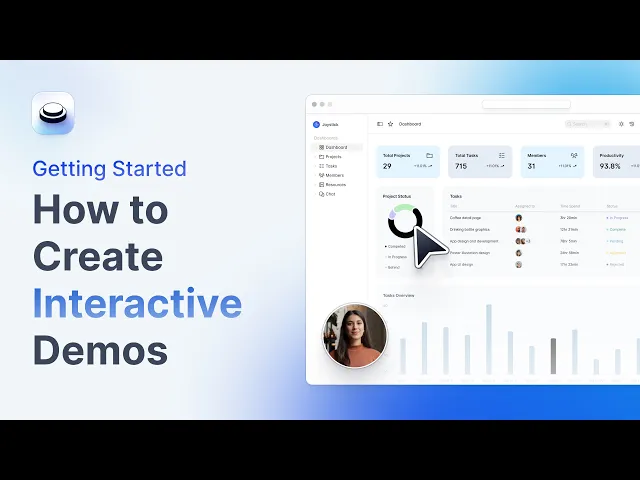
Best for: Product marketing teams that need to produce polished visual demos at high speed for websites, social media, email, and onboarding.
Arcade positions itself as a tool for product storytelling rather than interactive demos. Everything on the platform is designed to produce visual content with the quality of a brand campaign, not a support article. Its most distinctive feature is Creator Studio, an AI capability that converts a single screen recording into multiple formats, including an interactive demo, a product video, a GIF, and social media assets. Mind you, this remains predefined content, meaning there is no sandbox, no real time interaction, and no autonomous agents.
Key features
- Three capture methods: A Chrome extension for web apps, a desktop app for native software, and a Figma plugin to convert designs into demos.
- Creator Studio with AI: Starting from a single recording, it automatically generates interactive demos, product videos with zooms and transitions, and visual assets for social media.
- AI voiceover and translations: It generates narrations in multiple languages and auto chapters that structure the demo into navigable sections.
- HTML capture: Capturing the front end of the product for demos that are more faithful than those based on screenshots, providing real interactivity.
- Multichannel distribution: Demos can be embedded into websites, shared via links, integrated into emails, or exported as GIFs and MP4s.
- Engagement analytics: Metrics for clicks, session time, drop off points, and completion rates per demo.
- Integrations: Connection with HubSpot, Zapier, and main embedding destinations like websites, Notion, and help centers.
- Security: SOC 2 and GDPR compliance.
What sets it apart
The combination of production speed and variety of output formats. A product marketer can record their product flow once and obtain an interactive demo, a video for LinkedIn, a GIF for email, and a visual asset for social media, all from the exact same platform.
Limitations
- HTML capture is only available in the Growth plan.
- There is no sandbox environment. Prospects follow predefined paths without any option to explore the product freely or interact with real data.
- The analytics are too basic for sales teams.
- Demos require manual maintenance when the product interface changes, as there is no automatic update system.
- There are no autonomous agents or real time interactions.
➡️ Read our dedicated article to discover the best alternatives to Arcade.
8. Supademo
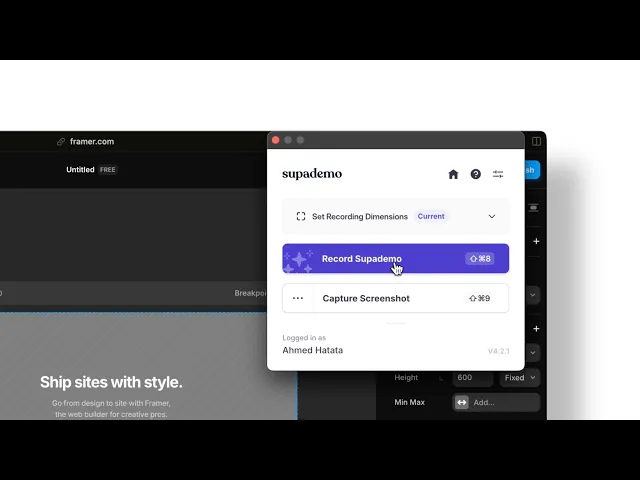
Best for: Teams with a tight budget that need to cover multiple use cases like marketing, sales, onboarding, and support with a versatile tool that is fast to implement.
Supademo is probably the interactive demo platform with the best quality to price ratio on the market. It offers more demo formats and AI features than significantly more expensive competitors, and its Chrome extension allows you to have a demo ready to share in under 5 minutes.
It has recently launched AI Demo Agents, RouteHub, which handles intent based routing from a single link, and an MCP integration to edit demos using natural language. These are ambitious features, although the Demo Agents operate on top of predefined content, meaning they qualify and route but do not navigate the actual product interface or converse autonomously in real time.
Key features
- Six demo formats: HTML captures, screenshots, video, desktop recording, screen plus webcam, and file uploads, all of which can be combined within the same presentation.
- AI Voice Cloning: Record a 60 second sample of your voice and generate narrations with that exact tone across the entire workspace.
- AI Demo Agents: An AI chatbot that qualifies visitors and directs them to the most relevant demo or asset in the library. It does not navigate the product interface or perform live demonstrations.
- MCP (Model Context Protocol): It allows users to create, edit, and personalize demos with natural language through Claude, ChatGPT, and other LLMs.
- AI Demo Audit: It identifies outdated demos when the product interface changes, reducing manual maintenance work.
- Showcase: It groups multiple demos into a single shareable link, which is useful for complex feature presentations or onboarding kits.
- Pipeline oriented analytics: Session metrics, completion rates, drop off points, account analytics, and CRM integration for conversion tracking.
- Security and compliance: SOC 2 Type II, GDPR, and CCPA, with SSO/SAML and customizable data residency in the Enterprise plan.
What sets it apart
The value for money and the breadth of formats. For teams that need to cover sales, marketing, onboarding, and support with a single tool without multiplying their budget, it is one of the most versatile and accessible options available.
Limitations
- Demos based on screenshots have less fidelity than those based on HTML cloning, which is only available starting from the Growth plan.
- It does not offer sandbox environments for live demos with real data or complete product simulations.
- AI Demo Agents qualify and route, but they do not navigate the actual product interface or maintain an adaptive conversation in real time with the buyer.
- Visual customization options are more limited than in other similar platforms.
➡️ Read our dedicated article to discover the best alternatives to Supademo.
9. Reprise

Best for: Companies with complex products that need to show real functionality through sandbox environments, code level simulations, or live personalization directly on top of the actual application.
Reprise positions itself as the enterprise demo platform with the greatest technical depth on the market. Its approach is based on offering three distinct capture technologies under one roof, including HTML capture, live app overlay, and code level cloning.
It targets presales and solutions engineering teams with complex products that need to show real functionality, not just screens. It has recently rebranded as an Agentic Demo Builder, although its use of the term agentic refers to automation in creating demo environments, not to autonomous agents that present the product or converse with the buyer in real time.
Key features
- Three integrated demo modules: Replay (HTML capture of the front end), Reveal (live app overlay to personalize without touching production), and Replicate (complete code level cloning for functional sandboxes).
- AI Data Studio: It generates custom datasets by vertical, persona, or region using natural language and applies them to the demo environment in a single click.
- Centralized demo library: A shared repository so that sales, marketing, and partners can access categorized and reusable demos by use case.
- Offline demos: The ability to download HTML demos to present offline at events or in person meetings.
- Performance analytics: Metrics for play rate, completion rates, drop off points, and engagement per demo, complete with internal platform benchmarks.
- Enterprise integrations: Native connection with major CRMs, marketing automation platforms, and development tools.
- Enterprise security: SOC 2 Type II and ISO/IEC 27001:2022 certification, with SSO and RBAC included in all plans.
What sets it apart
The multi mode architecture. Reprise is one of the few platforms that combines HTML capture (Replay), live application overlay (Reveal), and full code level cloning (Replicate) under a single roof. A presales team can choose the right level of fidelity for any situation.
Limitations
- The average implementation takes 3 months.
- Three modules imply three learning curves. Replicate, in particular, requires web development knowledge that distances it from no code solutions.
- Several users report stability issues with complex demos.
- There is no support for mobile demos.
➡️ Read our dedicated article to discover the best alternatives to Reprise.
10. Hexus
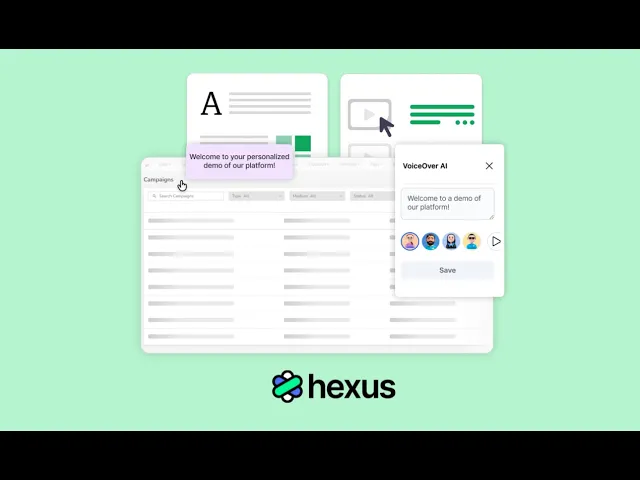
Best for: Marketing and sales teams that launch frequent product updates and need to create demos, videos, and guides from a single AI powered platform.
Hexus is an AI native platform to create interactive demos, product videos, and onboarding guides from a single recording. Its value proposition focuses on speed, meaning what previously required days of production with multiple tools is resolved by Hexus in minutes from a single workspace.
It is a younger and less established platform than other competitors on the list, but its ability to generate multiple content formats from a single capture and keep them automatically updated when the product changes makes it interesting for teams that prioritize publishing cadence above all else.
Key features
- Multi format creation with AI: Starting from a screen recording or a prompt, it generates interactive demos, product videos, and step by step guides on a single platform.
- Automatic repurposing: It converts one format into another with a click, such as turning a demo into a video or a video into a guide.
- Automatic demo updates: When the product changes, Hexus synchronizes updates across all associated assets without manual editing.
- Engagement analytics: Metrics for drop offs, conversions, viewing time, and user behavior to optimize the GTM strategy.
- Team collaboration: A shared workspace so that marketing, sales, customer success, and documentation teams can create and manage content centrally.
- Flexible embedding and distribution: Demos can be embedded into websites, help centers, emails, and marketing campaigns.
- Security: Enterprise security features and SSO are available exclusively in the Enterprise plan.
What sets it apart
The ability to produce and maintain multiple content formats from a single capture. A product marketer records the flow once and gets all the assets they need, and when the product updates, the change is automatically reflected across all of them.
Limitations
- The depth of technical control lags behind Reprise or Demostack for enterprise demos that require full sandbox environments or code level cloning.
- Experiences remain asynchronous and predefined. There is no real time interaction with the prospect or autonomous agents that converse or navigate the product interface live.
- The documentation and training resources are still growing.
